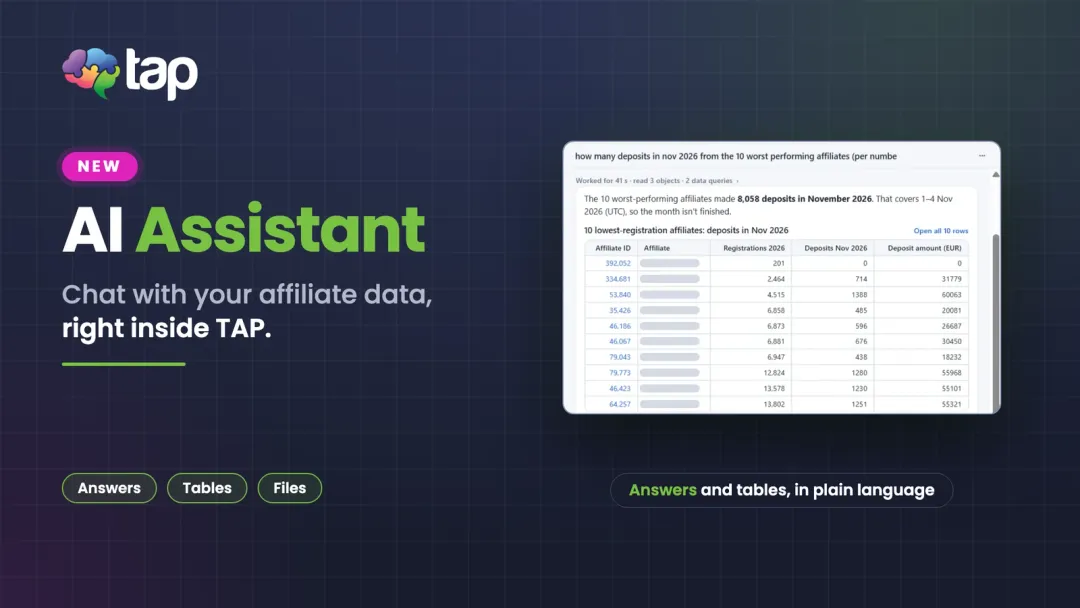
Your affiliate data, one question away: the TAP AI Assistant is an AI chat built into the TAP back office.
Every affiliate manager knows the routine. A question comes up (which affiliates are approved, how a deal's qualification rules work, what last week's registrations and deposits looked like) and the answer sits behind a report to open, a filter to set or a colleague to ask. The new TAP AI Assistant removes that detour: you ask in plain language, and it answers on the spot.
What the TAP AI Assistant is
It is an AI chat inside the TAP back office. Click the AI button at the bottom right of any page and the AI workspace opens over the page you are on, so you never lose your place. Type a question the way you would ask a colleague.
Two agents in one chat
The assistant comes with two agents, each with its own job:
- Product Expert answers how-to and setup questions from the TAP Help Center, with links to the sources it used. Ask how to set up a CPA deal with qualification rules, why a player from an affiliate link was not assigned to a deal, or how a postback pixel works.
- Data Analyst answers questions about your own data (affiliates, players, visits, campaigns, deals and more) from your account's data warehouse, and shows the result as a table you can open in full.
Product questions are open to Affiliate Admins, Affiliate Managers and Affiliate Admins, Limited. Data questions need the Affiliate Admin role.
From a question to a table, a chart and a file
Answers do not have to stay in the chat. The Data Analyst shows tables and interactive charts (bar, line, area or pie), and you can attach pictures or CSV files for the assistant to read. When a result is worth keeping, download it as a CSV, or save the whole chat as a PDF to share with the team.
Read-only by design
The assistant reads help pages and your data, and that is all it does. It never creates, edits or approves anything in the back office: when a change is needed, it shows you the steps and you make it yourself. Every query is read-only, runs only against your own isolated data warehouse dataset, and a large historical scan asks you to confirm first. Usage is shared across your organization each month and visible at the top of an open chat, with a token breakdown under each answer.
One foundation, two ways in
The AI Assistant lives inside TAP, so there is nothing to set up. If your team prefers to work in the AI tools it already uses, the MCP Server brings the same kind of read-only access to your TAP data to Claude, ChatGPT or another AI tool, where you can also create artifacts and share them with colleagues in your organization. Use the one that fits the moment, and read how AI is changing affiliate marketing platforms for the bigger picture.
How to start
Open the AI button in your back office and try one of the suggested questions, or ask your own. For a first data question, ask for visits, registrations and FTDs by affiliate over the last seven days. If you want to go deeper on reporting, see AI Reporting and our guide to real-time affiliate reporting.
Want to see the AI Assistant working with your own program? Book a meeting and we will walk you through it.
Need help?
Lets have a chat!
We're here to help you understand how our platform can meet your needs. Schedule a meeting with us, and let's explore how we can drive your success together.
Book a meeting